LanToucher Network Chat Overview
Designed as a "net send" and WinPopup replacement, LanToucher Network Chat provides compatibility with Microsoft WinPopup (Windows 95/98/ME), Messenger service / 'net send' (Windows NT 4/2000/XP/Server 2003) and Samba client (Unix/Linux). LanToucher Network Chat takes up minimal memory and network resources. In the main window you can send your messages to a specific recipient or to all computers at once, reply to incoming messages and view the history. You can minimize the program and let it stay in the system tray using the ESC key. You can always restore the program by clicking the tray icon or pressing the CTRL+` keys at the same time. Newer messages are placed in the bottom of the message history box of LanToucher Network Chat while the old ones go up. This is a great feature as it allows you to keep track of what has been said.
LanToucher Network Chat Key Features
- Proven cross-platform compatibility
LanToucher Network Chat is fully compatible with Messenger service / 'net send' (Windows NT 4/2000/XP/Server 2003), WinPopup messenger (Windows 3.x/95/98/Me), Samba smbclient (Unix/Linux) and a broad range of compatible Network Chats based on the standard SMB/CIFS protocol.
- All 32-bit and 64-bit Windows versions support
LanToucher Network Chat supports the following x86 and x64 operating systems: Windows 95, Windows 98, Windows Millennium Edition, Windows NT 4, Windows 2000, Windows XP, Windows Vista, Windows 7, Windows 8, Windows 10, Windows Server 2003, Windows Server 2008, Windows Server 2012, and Windows Server 2016.
- Low memory and network bandwidth usage
Unlike most fancy chat applications, LanToucher Network Chat needs less than 8 megabytes of RAM and generates minimal network traffic.
- True peer-to-peer (serverless) connectivity
LanToucher Network Chat does not require a dedicated server, so users can communicate directly with one another.
- Multiprotocol support
LanToucher Network Chat works perfectly over any available network transport protocol (TCP/IP, IPX/SPX, or NetBEUI).
- Advanced Messenger service support (Windows NT 4/2000/XP/Server 2003)
This feature fully controls the state of the Messenger service. Unlike other compatible chat programs for intranets, LanToucher Network Chat pauses the service at startup, and restarts it when shutting down so that you could still receive messages using the Messenger service before logging on, after logging off, and while at the Welcome screen (Windows XP).
LanToucher Network Chat Screenshots
Main window
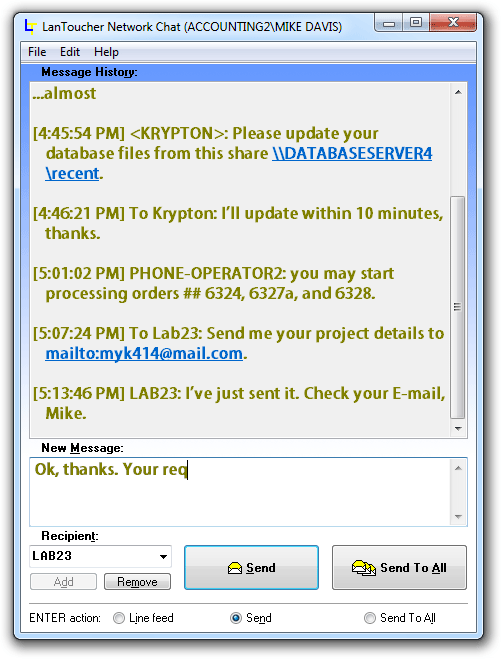
The main window of LanToucher Network Chat with a conversation example
Options dialog
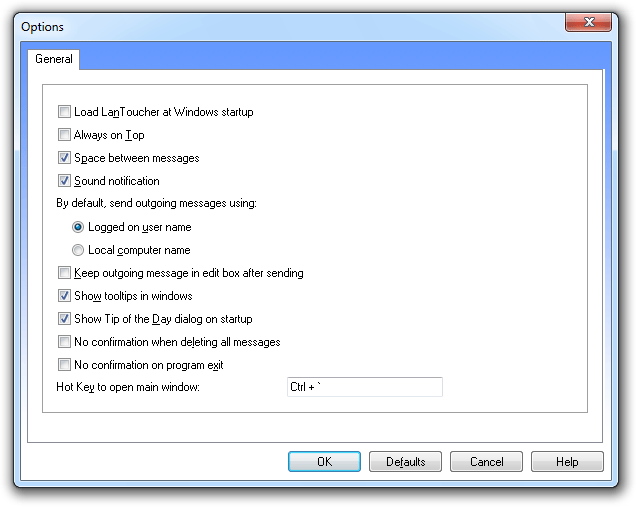
In this dialog you can configure LanToucher Network Chat to suit your needs and preferences.
Main Menu
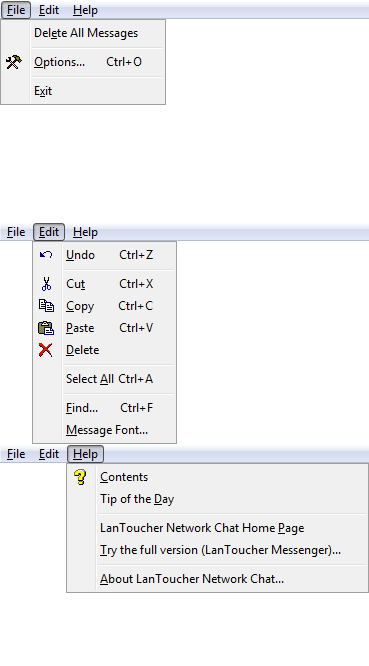
Taskbar Notification Area icon

LanToucher Network Chat System Requirements
- Microsoft Windows 95/98/NT 4/2000/ME/XP/Vista/7/8/10/Server 2003/Server 2008/Server 2012/Server 2016
- K6™ or Pentium Processor
- 12 MB RAM (24 MB recommended)
- 4 MB hard drive space
- Network interface card connected to a Local Area Network
- Another computer running LanToucher; WinPopup-compatible mailer; Messenger service / 'net send' (Windows NT 4/2000/XP/Server 2003); Samba client (Unix/Linux)
- DirectSound-compatible sound card recommended
Notes
- Make sure that your system meets the minimum system and hardware requirements for LanToucher.
- Make sure that your machine is connected to a LAN with appropriate network cable (if applicable) and the Client for Microsoft Networks is installed.
- Network Discovery and File Sharing must be enabled (Windows Vista/Windows 7/Windows 8/Windows 10/Server 2008/Server 2012/Server 2016)
Get the free version of LanToucher Network Chat now!
|
