| BLOCKLIST DIALOG |
In this dialog you can add one or more contacts to BlockList and remove the ones that have already been added to BlockList. Messages from the contacts on BlockList are not displayed.
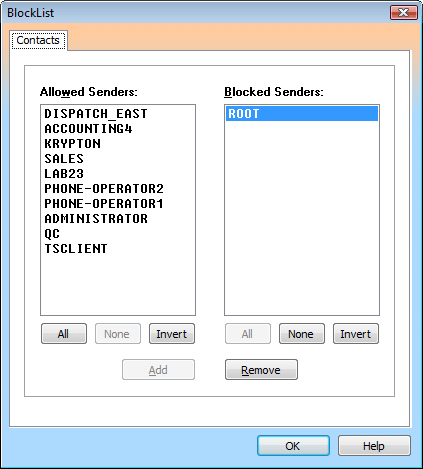
To add one or more contacts to BlockList, make a selection in the Allowed Senders list, and then click Add.
To remove one or more blocked contacts from BlockList, make a selection in the Blocked Senders list, and then click the Remove button.
| List Boxes |
| Allowed Senders Displays currently allowed contacts. |
| Blocked Sender Displays currently blocked contacts. |
| Push buttons |
| All Selects all items in the list box. |
| None Deselects all items in the list box. |
| Invert Inverts the current selection of items. |
| Add Adds the selected contact(s) to BlockList. |
| Remove Removes the selected blocked contact(s) from BlockList. |